 Lemask
Made for lawyers · runs on your Mac
Client confidentiality,
even with ChatGPT and Claude.
Lemask is made for lawyers. It hides your clients' names and personal details in a PDF, a scan or a Word file before you share it with an AI, then puts them back in the answer. Everything happens on your Mac: your documents are never sent to the internet.
See what the AI sees
Same document. No names.
Lease agreement between [PERSON-1], born on [BIRTH-DATE-1], living at [ADDRESS-1], and [COMPANY-1], represented by [PERSON-2] ([EMAIL-1]). Rent of £1,450 is paid on the 1st of each month to account [IBAN-1].
Each name and detail becomes a label. The AI reads the document, not the people in it.
How it works
Four steps, one of them yours.
- 1
Drop the document
A PDF or a Word file. On the window, the Dock icon or the menu bar, or select it in Finder and tap the right ⌘ twice.
- 2
Lemask hides the details
Names, companies, addresses, emails, phones, dates of birth, bank and ID numbers. It checks three times.
- 3
Share the copy
A new PDF lands next to the original. Upload it to ChatGPT or Claude and ask your question.
- 4
Get the names back
Paste the answer into Lemask and the real names return, on your Mac.
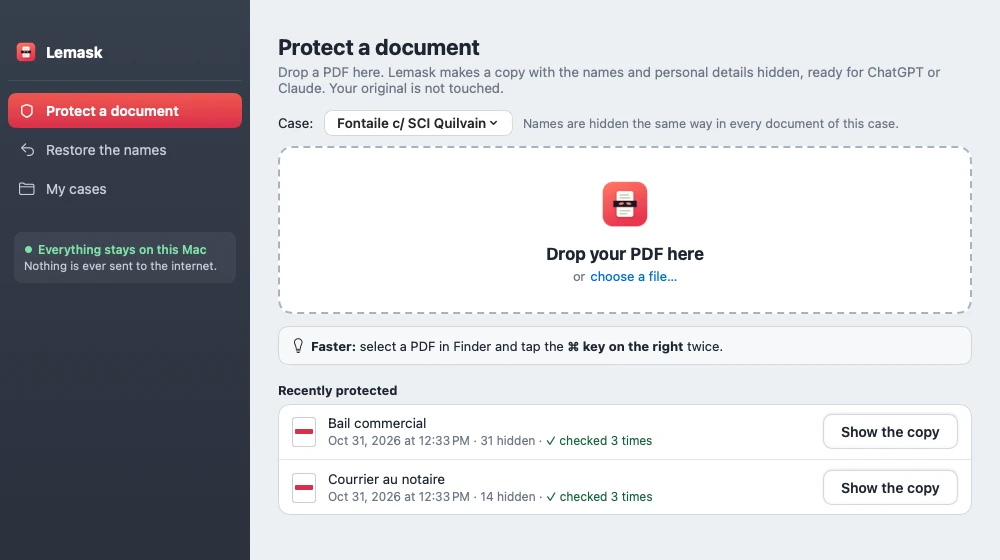
Scanned documents too
A scan? Lemask reads it for you.
A scanned contract or letter has no text a computer can read. Lemask reads it anyway, with your Mac's own text recognition, in French and English: nothing to install, nothing to convert, nothing sent. The copy is a clean PDF with real text. Because a scan can be blurry, Lemask asks you to re-read that copy before you share it.
![A blurry scanned lease turned into a clean protected copy, with labels like [PERSON-1] in place of names](/img/scan-en.webp)
While it works
You can watch it work.
A counter shows the names and details hidden so far, page by page, with the time left. When it's done, a soft sound, and a notification if you're in another app.
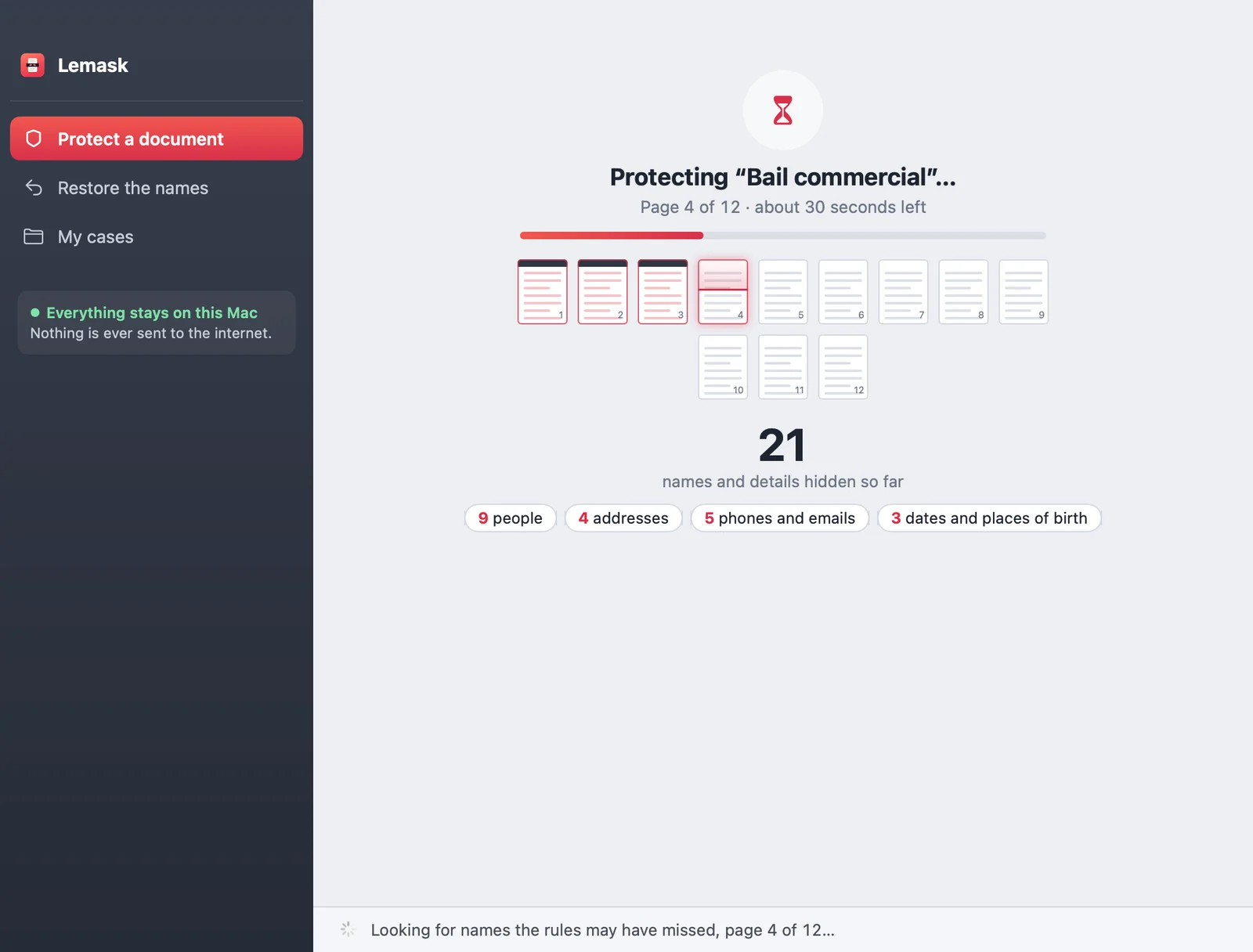
Checked three times
Green means checked.
First the rules, then an extra check that reads the text again for names the rules may have missed, then a final re-read of the copy itself. Green only when all three pass. If something needs a look, Lemask says so and tells you where.
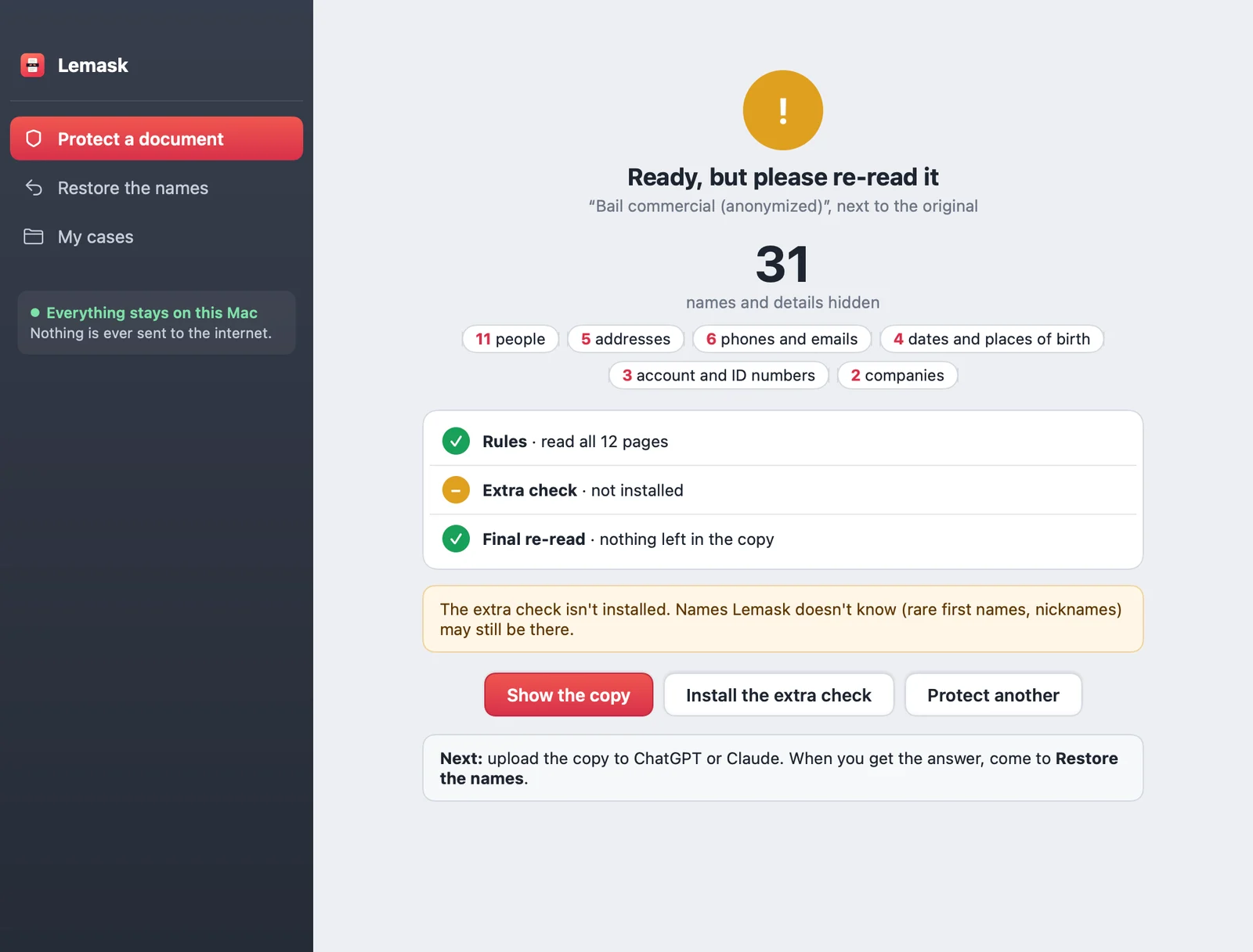
The protected copy
A clean PDF the AI understands.
Every page says it's a protected copy. A short note tells the AI what the labels mean and to keep them as they are, so its answer can be turned back into real names.
![The first page of a protected copy of a made-up commercial lease, with labels like [PERSON-1] in place of names](/img/copy.webp)
The way back
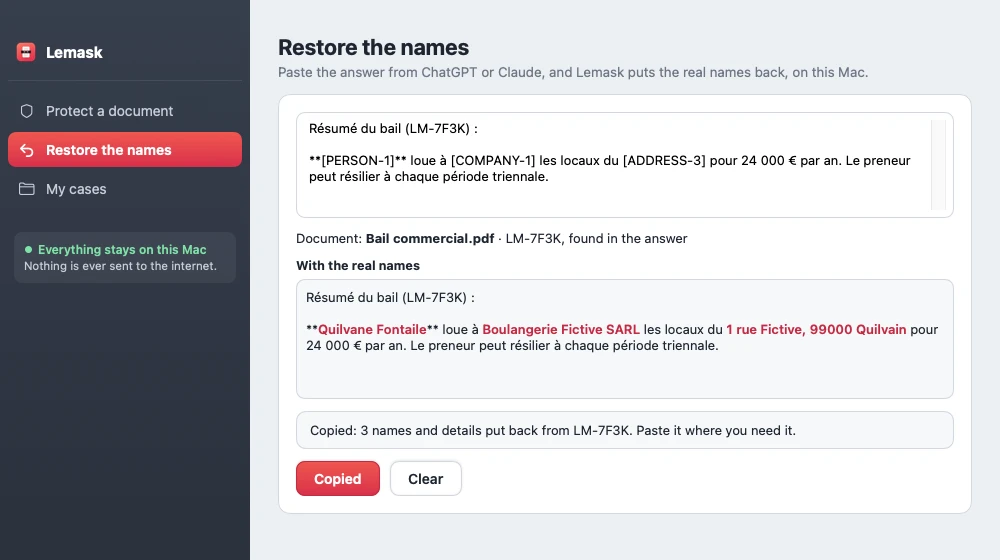
The real names, back in the answer.
Paste the AI's answer into Lemask. It finds the copy's ID, puts each real name back and shows it in red so you can check, then you copy the text. From the menu bar, it works straight on the clipboard. The real text is never saved.
My cases
One case, the same labels.
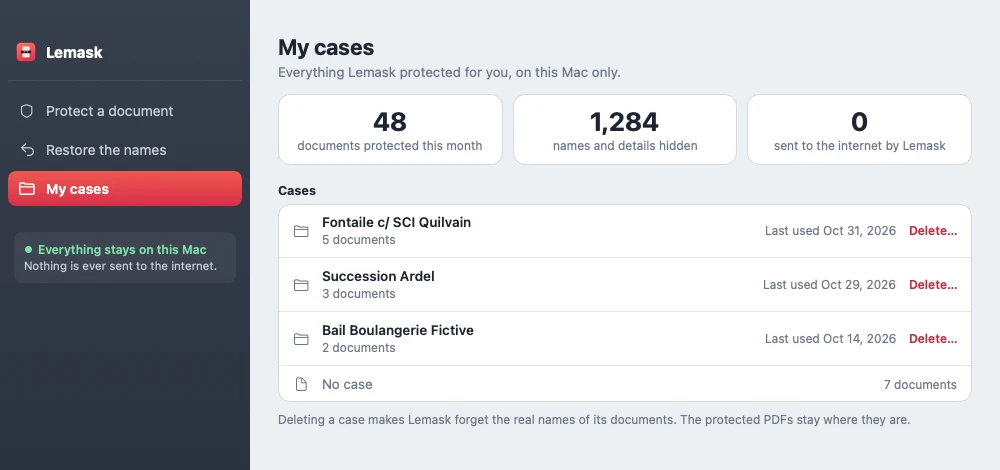
Pick a case before you drop. Every document in it shares its labels: the same person is [PERSON-1] in the lease, the letters and the judgment, so the AI can follow them across the whole case. My cases lists your cases, and deletes one when you're done.
Your questions
Before you trust it, ask.
We asked ourselves the same questions. Here is what we found.
made-up test documents
- 3,000+ names and details hidden in them
- 24 kinds, French and English
- 120 long ones written to catch it out
- 20,000+ test runs
How it got here
Share of names and details caught, step by step. 100% is on the documents we fixed it with; the honest test is on new documents.
- First try31 Oct · rules only75.4%
- Better rules31 Oct98.9%
- + extra check31 Oct100%
- New documents1 Nov · never seen99.8%
- Fixed, retested1 Nov · all 324100%
of names and details caught in 60 new documents it had never seen: 1,128 out of 1,130. It is the fairest guess for a document it has never read, like yours. When Lemask is not sure, it asks you to re-read.
All test documents are made up. Tests ran on 31 Oct and 1 Nov 2026.

Privacy
Nothing leaves your Mac.
Lemask was built for client files. It does all its work on your Mac, with no account, no cloud and nothing to configure.
No upload
No server, no cloud AI, no analytics, no crash reports. Your documents are read on your Mac only.
Your original stays untouched
Lemask only writes a new copy next to it.
The real names stay locked
The list that turns labels back into names is encrypted on your Mac, with its key in your Keychain.
Two network calls, both with your OK
A check for updates and a one-time download of the extra check. Neither carries anything from your documents.
Don't take our word for it
Three ways to check for yourself.
None of them asks you to trust us. They use your Mac and well-known tools.
Airplane mode
Turn off Wi-Fi and protect a document. Lemask works anyway: it needs no server.
✓ The copy is made offline
Activity Monitor
Open Activity Monitor › Network and watch the Lemask line while it protects a document: the bytes sent don't move.
✓ Nothing sent while it protects
A firewall
Install LuLu (free) or Little Snitch. They show every connection an app makes, and can block them all.
✓ No connection while it protects
The only addresses Lemask contacts
huggingface.co | Once, to download the extra check (1.2 GB), with your OK |
lemask-updates.vercel.app | To check for updates, with your OK |
Neither receives anything from your documents. You can block both: Lemask keeps protecting your documents.
Three ways in
Start from wherever you are.
Drag and drop
Drop a PDF or a Word file, or several, on the window or the Dock icon.
Right ⌘ twice
Select PDFs or Word files in Finder and tap the right ⌘ key twice.
Menu bar
Lemask waits in the menu bar. Drop a file on it, or open the window.
Questions
Good to know
Which AI can I use?
Any. The copy is an ordinary PDF: upload it to ChatGPT, Claude or any other assistant.
Does it work with Word files and Google Docs?
Yes. Drop a Word file (.docx, .doc, .rtf or .odt): Lemask reads it on your Mac and writes the protected copy as a PDF. For a Google Doc, download it as Word or PDF first. For Pages, export it to PDF.
And scanned documents?
Yes. Drop the scan like any PDF: Lemask reads its pages with your Mac's own text recognition (French and English), with nothing downloaded or sent, and writes a clean copy with real text. Re-read that copy before sharing it: on a blurry page, recognition can misread a letter.
Can I trust it blindly?
Lemask checks three times and tells you when something needs a look. As with any tool, glance at the copy before you share a sensitive document.
When can I get it?
Lemask is being tested with lawyers now. Testers download it here with a password.